
has anyone got any idea how to "scan" and edit this shit in a way that it can be printed on a black-and-white printer? This is about as flat as I can get it, and I don't know if I can get better lighting

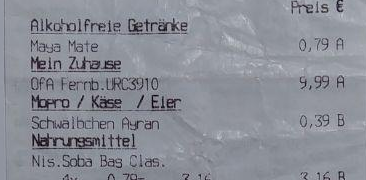
@noiob If this is anything close to what you have in mind, this was produced with GraphicConverter, using the Picture: Levels facility. There, you have three pointers you can drag, corresponding to the min/max/median levels in an image, making it simple to bring all "sort of white" shades to just plain white.

lgbt.io/media/yiLmk5ccj3a-JDEN

lemkesoft.de/en/products/graph

(Similar "level crushing" can be found in most graphics apps - GC's just a very handy tool I keep around)

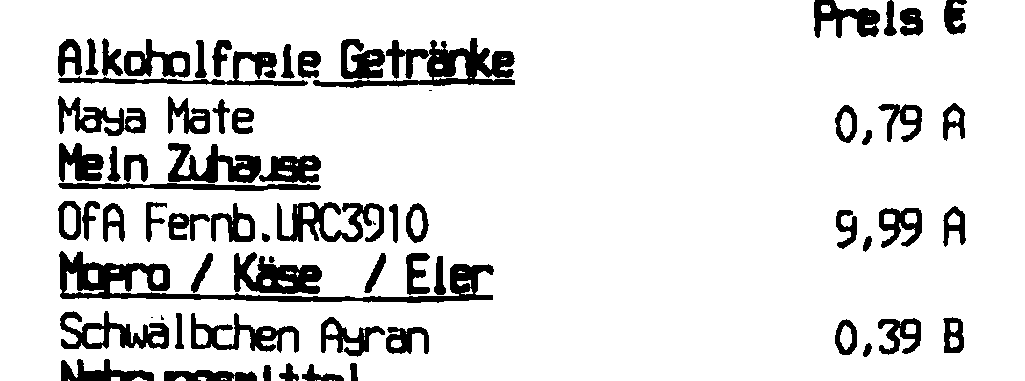
@porsupah heh, I've used Graphic Converter back when our family computer ran Mac OS 8. This is what I ended up producing using OfficeLens and then Gimp

Follow

@porsupah Thanks though! I wish there was a way to "mark a post as resolved" other than deleting it

· · Web · 0 · 0 · 0
Sign in to participate in the conversation
Awoo Space

Awoo.space is a Mastodon instance where members can rely on a team of moderators to help resolve conflict, and limits federation with other instances using a specific access list to minimize abuse.

While mature content is allowed here, we strongly believe in being able to choose to engage with content on your own terms, so please make sure to put mature and potentially sensitive content behind the CW feature with enough description that people know what it's about.

Before signing up, please read our community guidelines. While it's a very broad swath of topics it covers, please do your best! We believe that as long as you're putting forth genuine effort to limit harm you might cause – even if you haven't read the document – you'll be okay!
