Xer Shadow Tail ☄️🌺 @XerTheSquirrel@awoo.space
- Pronouns
- they/them
- Species
- Eastern Gray Squirrel
- Gender
- Femby!
- Name
- Stephanie
Moved to @XerShadowTail , please follow me there instead!
Joined Sep 2017
#SquirrelJME: Stack traces are a bit more informational now! I decided to get these working as I go into the bootstrap so I can do some quicker debugging. https://t.co/uXQXzsWZBQ
#SquirrelJME: With the (new) flip phone overlay, SquirrelJME on @libretro rather reminds me of old phones. Note that, the red screen indicates a JVM error (such as no ROM). Currently is still a work in progress! https://t.co/XZFmO0WHgD
@ruxnor@snouts.online Oh cool!
@ruxnor@snouts.online Is it the "In your pocket" detector?
My phone has an invisible blinky light on the top of it!
#SquirrelJME: I have this like lingering feeling that I am over counting objects when it comes to fields.
Good morning everyone! Have a beautiful and wonderful day today! Love you all! 💖💖💖🐿️🌺🏳️🌈
Good night everyone! I hope your night is wonderful and sweet! Love you all! 💖💖💖🐿️🌺🏳️🌈
#SquirrelJME: Stack traces in the supervisor, at least before I implement getting the individual details and integer to string conversion. But I do know the stack depth of four which I believe is correct. https://t.co/FLA9GMA0Ad
Xer Shadow Tail ☄️🌺
boosted

hey y'all, here's a big reminder that neopronouns, otherkin, and non-dysphoric trans/enby folks are all valid as heck
i love and support and appreciate y'all, for real 

@snailerotica It is just built into the CPU you have, so it is like a smaller/slower version of a GPU on a graphics card. It is still pretty decent though.
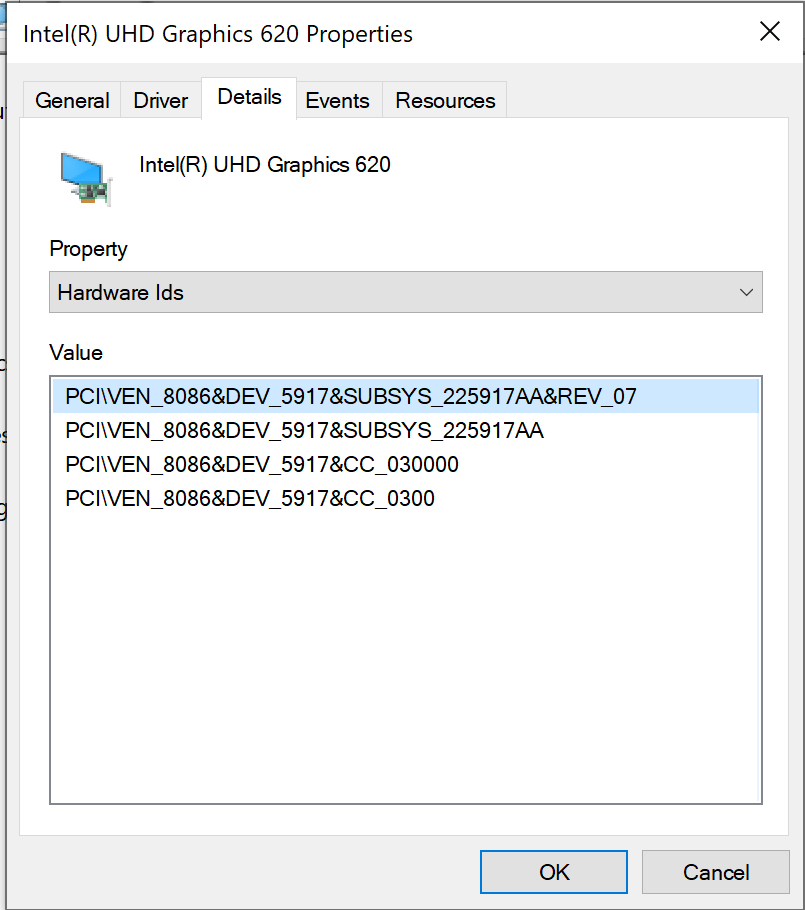
@snailerotica So the Vendor is 0x1002 (AMD) and the Device is 0x1313 (Kaveri). So it seems you have an APU from 2014-2016 with the R7 GPU on it.
@snailerotica That looks to be for your monitor. It will be listed under Display Adapters and it will look something like this:
@snailerotica On Linux it will be `lspci` the numbers on the left side; On Windows it will be in Device Manager for the graphics card, go to Details, and find Hardware IDs. The vendor and device will be hexadecimal (0-9, a-f).
@snailerotica What does the PCI vendor and device ID say?
Mental health; dissociation; depression (-)
@Lexi@octodon.social *hugs*
Good morning everyone! Have a sweet a d wonderful day today! Love you all! 💖💖💖🐿️🌺🏳️🌈
Good afternoon everyone! Hope your day is wonderful and sweet! Love you all! 💖💖💖🐿🌺🌈
#SquirrelJME: So I fixed the issue! In the allocator, I was only marking chunks as used if they had to be split because they were too big! So if an allocation of the same size were done, then it would choose a used block (marked free) and then use that pointer.
Good morning everyone! Hope your day is wonderful and sweet! Love you all! 💖💖💖🐿🌺🌈

- Pronouns
- they/them
- Species
- Eastern Gray Squirrel
- Gender
- Femby!
- Name
- Stephanie
Moved to @XerShadowTail , please follow me there instead!
Joined Sep 2017
Xer Shadow Tail ☄️🌺's choices: