

Jessica @cat@awoo.space
---
🙆🏻 Pronouns: http://my.pronoun.is/she
🐦 Twitter: https://twitter.com/ticky
🕚 Previously: @ticky
👀 See Also: @dog
🖼 Avatar: https://twitter.com/AlabasterPizzo
---
Cute queer cybersorceress ✨
Rad software maker 🖥
Aspiring nomad 🌏
💜
Joined Feb 2018
I GET THE "SECURITY VERIFICATION FAILED" BUT IF I THEN GO TO /web/timelines/home IT LOADS FINE????????????????
hey mods what does “Security verification failed. Are you blocking cookies?” mean and why do I get it when I try to log in to awoo dot space via mstdn?
5” trinitron? more like teenytron
@moritzheiber like, the problem is there was a need and it was met, but whatever standards bodies had no answer? So what could they do? It’s capitalism baby
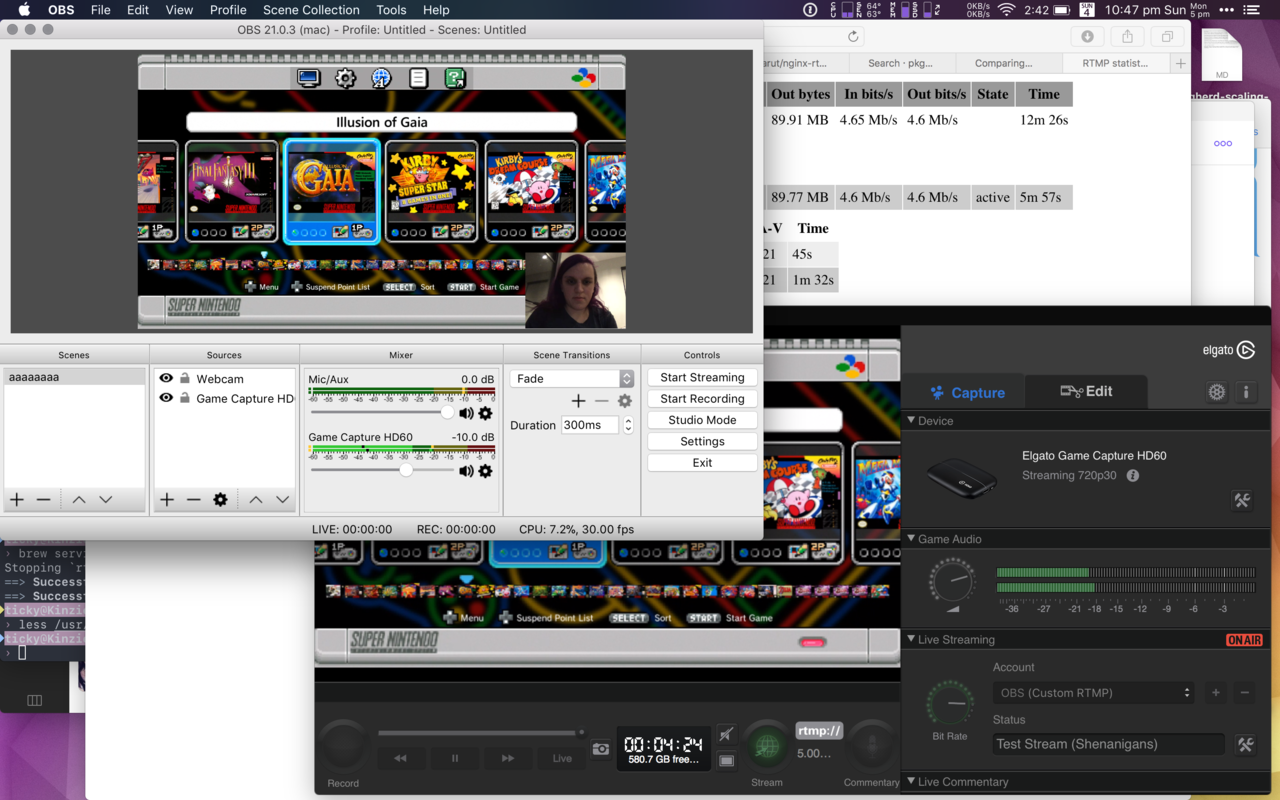
the SNES Mini is my favourite thing to use for testing the capture setup because it’s a box that produces a pretty varied HDMI signal with no other input needed so long as you give it power
@moritzheiber for capture devices which do (usually) sub-HD resolutions and sub 60fps, using generic USB video source protocol is normal, not so at this end of the market; proprietary h.264 pipes over USB 2.0 or 3.0 are the norm, and the standard USB video protocol has no answer to that yet as I understand it
@moritzheiber from what I’ve read this model doesn’t have a Linux driver yet and it’s already obsolete!
the other side of this question: is there a way to add a delay to individual audio and video sources in OBS?
I believe most of the delay can be mitigated by configuration changes in the apps involved, I just haven’t done much more than package up a Homebrew formula for the minimal build of Nginx preconfigured with the RTMP add-on (will share soon)
FUNNILY ENOUGH passing a raw H.264 stream between three applications without touching it is less CPU intensive than putting it in the desktop compositor, capturing and then recompressing it WHO WOULD HAVE THOUGHT
(OBS on macOS has no support whatsoever for the Elgato hardware, because Elgato don’t actually publish Mac drivers, just their proprietary software which talks to it directly. Most workarounds I’ve seen involve using OBS’ desktop capture 🤦🏻♀️ to capture the Elgato window)
managed to get the Game Capture HD60’s video into OBS on macOS(!) via a local RTMP repeater (custom minimal build of nginx with the rtmp plugin)
delay is… a whole fucken lot, sadly https://awoo.space/media/jJ33bN1Kn5WD_7DfIQ0
@tom dogball (soft g)
@tom yo for real
OPINION: bus drivers should have to drive standing upright holding onto a pole awkwardly for safety
Jessica
boosted

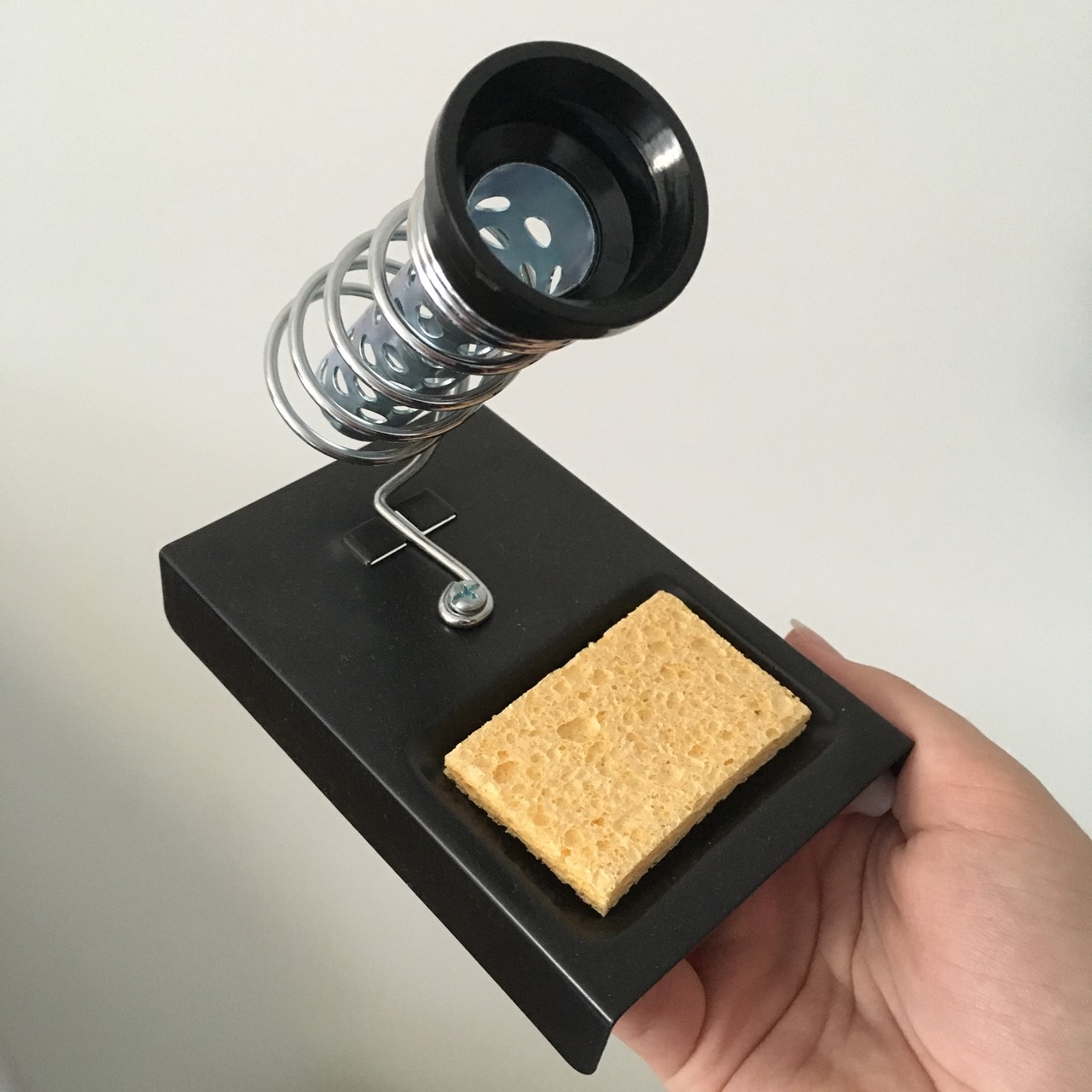
Vancouver & adjacent pals: anyone need a basic soldering iron stand? Free to a a good home 🏡
why is the Twitch “follow” icon a heart? what does being a “friend” of the channel mean? why is “follow” just the unlabelled icon on mobile and not present at all on the mobile web site?
transphobia
wake up in the morning / block a pile of transphobes

---
🙆🏻 Pronouns: http://my.pronoun.is/she
🐦 Twitter: https://twitter.com/ticky
🕚 Previously: @ticky
👀 See Also: @dog
🖼 Avatar: https://twitter.com/AlabasterPizzo
---
Cute queer cybersorceress ✨
Rad software maker 🖥
Aspiring nomad 🌏
💜
Joined Feb 2018
